Ever feel like your desk is working against you instead of for you? You sit down ready to tackle your to-do list, but instead you’re drowning in sticky notes, hunting for that pen that actually works, and moving coffee mugs just to find your keyboard. Sound familiar?
Here’s the truth: your workspace directly impacts your productivity, focus, and even your stress levels. A cluttered desk creates mental clutter, while an organized one becomes your secret weapon for getting things done. The good news? Transforming your desk from chaotic to calm doesn’t require expensive organizers or a complete overhaul—just a few smart strategies.

Ready to create a workspace that actually helps you work? Let’s dive into the step-by-step process of organizing your desk for maximum productivity and laser-sharp focus.
Start With a Complete Desk Reset
Before you can organize, you need to see what you’re working with. Clear everything off your desk—and yes, we mean everything. Your laptop, your coffee mug collection, those three staplers you somehow accumulated, all of it.
This clean slate gives you the chance to evaluate what truly belongs on your desk versus what’s just taking up valuable real estate. As you look at your pile of desk items, ask yourself:
- Have I used this in the past week?
- Does this item support my daily work tasks?
- Could this be stored elsewhere and accessed when needed?
Be ruthless here. That decorative item you haven’t noticed in months? It can find a new home. The 15 pens when you only use one? Time to pare down.

Create Zones for Different Activities
Think of your desk like a well-organized kitchen—everything has its place based on how you use it. Divide your workspace into functional zones:
Primary Work Zone: The center of your desk is prime real estate. This is where your computer, keyboard, and main work materials live. Keep this area clear and clutter-free so you can focus on the task at hand.
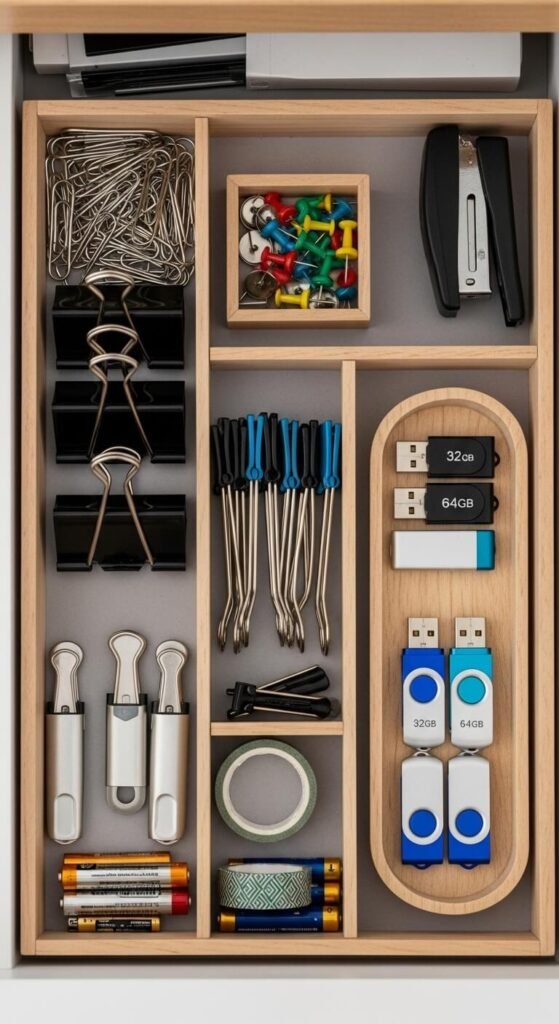
Supply Zone: Designate one corner or side for frequently-used supplies. Pens, notepads, sticky notes, and your stapler belong here—within arm’s reach but not in your direct line of sight.
Reference Zone: Create a spot for items you need to reference but don’t use constantly. This might be a small file holder with active project folders or a charging station for devices.
Personal Zone: Pick one small area (emphasis on small) for personal touches. A plant, a photo, or an inspiring quote can boost your mood without overwhelming your space.
Use Vertical Space Strategically
Your desk surface isn’t your only organizational ally—look up! Vertical storage is a game-changer for keeping your workspace functional without feeling cramped.
Wall-mounted shelves, pegboards, or magnetic strips can hold everything from notebooks to headphones. Desk organizers with tiers or drawers maximize space while keeping supplies visible and accessible. Even a simple monitor stand creates valuable storage underneath for keyboards, notebooks, or charging cables.
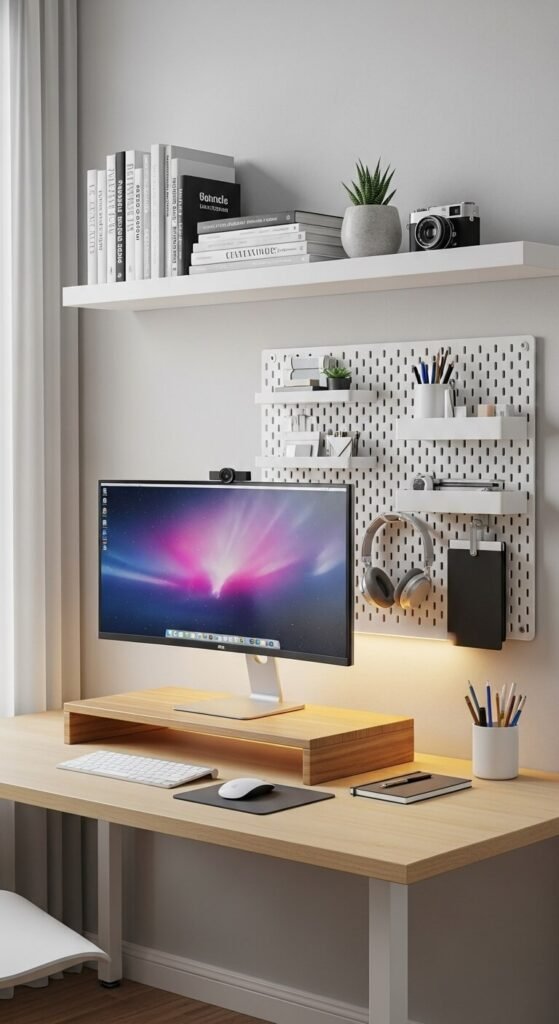
The key is keeping frequently-used items at eye level or within easy reach, while less-used items can go higher up.
Master Your Cable Management
Few things destroy a clean desk aesthetic faster than tangled cables snaking everywhere. Cable management might seem like a small detail, but it makes a massive difference in both function and appearance.
Here’s how to tame the cable chaos:
- Use cable clips or ties to bundle cords together
- Route cables along the back or underside of your desk
- Label charging cables so you’re not playing the guessing game
- Invest in a cable box or sleeve to hide power strips
A wireless setup (keyboard, mouse, charging pad) can also dramatically reduce cord clutter if that’s an option for you.
Implement the “One Touch” Rule
This productivity principle is simple but powerful: every item on your desk should serve a purpose for your current work. When something stops being useful, it leaves your desk immediately—no “I’ll deal with this later” piles allowed.
Finished reading that report? File it or recycle it right away. Done with your lunch? Dish goes straight to the kitchen. This habit prevents the slow creep of clutter that sabotages even the best organizational systems.
Create a Daily Desk Reset Routine
Even the most organized desk needs maintenance. Spend the last five minutes of your workday returning your desk to its organized state. Clear any papers, wipe down surfaces, and reset your zones for tomorrow.
This daily habit ensures you start each morning with a clean slate instead of yesterday’s chaos. It’s like making your bed—a small action that sets a productive tone for the entire day.

Your Organized Desk Awaits
Organizing your desk isn’t about creating an Instagram-perfect workspace that’s too precious to actually use. It’s about building a functional environment that supports your work, minimizes distractions, and helps you accomplish your goals with less stress and more focus.
Start with one section today—maybe tackle that cable situation or create your zones. You don’t have to transform everything overnight. Small, consistent improvements will get you to that productivity-boosting workspace faster than you think.
Ready to reclaim your workspace? Save this guide and pick one strategy to implement this week. Your future focused self will thank you!